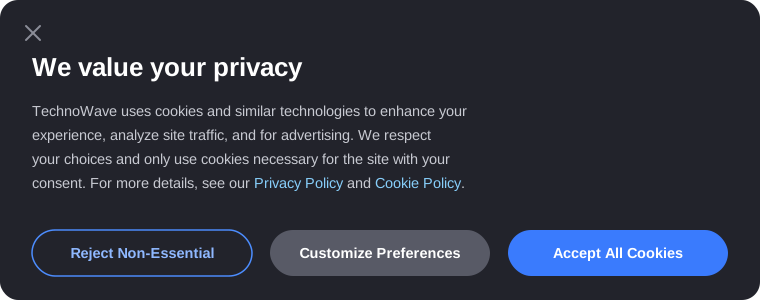
“We use cookies to enhance your experience, ana…” EHHH!!! Click. “Reject All.”
Articles, blogs, SaaS platforms, e-commerce stores - everywhere you go, they’re offering cookies. We starve them by rejecting them, but have you ever actually wondered what these cookies are? What kind of dough are they trying to bake out of your data?
Most of us default to “No, do not track me.” Site owners know it, yet they still pester us - sometimes making it intentionally painful with obscure “Manage Preferences” menus just to exhaust us into giving in. The core issue? It’s a constant tug-of-war between user convenience and backend data tracking.
What’s happening in the oven?
Before we dive into what clicking those shiny Accept/Reject buttons actually triggers, let’s clarify what you’re toggling on or off.
There are two main bakeries asking for your dough:
- First-Party: The direct owner of the site asking for your data. Set by the actual domain you visited (example.com). They handle basic utility - remembering your login session, keeping items in your shopping cart, or saving your dark mode preference.
- Third-Party: External scripts embedded on the site (like ad networks, analytics tools, or social media pixels) using someone else’s oven to track your behavior across the rest of the web. (Note: browsers like Safari and Firefox already block most of these by default, regardless of what you click.)
And then, there are the actual ingredients inside the cookie:
- Essential: The base ingredients required for the site to function at all. They handle page rendering, security checks, and basic load balancing.
- Non-Essential: The extra fudge and sprinkles. The cookie is still a functional cookie without them, but it’s no fun for ad brokers. Non-essential cookies power cross-site tracking, targeted ads, and deep behavioral profiling.
Scenario A vs. Scenario B: the direct comparison
| What Happens | Click “Accept All” | Click “Reject All” |
|---|---|---|
| Session Memory | Supercharged. Logins, carts, and preferences persist effortlessly. | Basic essential state stays; preferences may reset on return visits. |
| Third-Party Tracking | Fires immediately. Real-Time Bidding (RTB) auctions receive your fingerprint. | Blocked from initializing in your browser session. |
| Ad Experience | Hyper-targeted. Expect ads for that shoe you viewed 10 minutes ago. | Generic or contextual. You still see ads, just less personalized ones. |
| Server Logs & IP | Logged by default. | Still logged by default. Banners don’t hide your network requests. |
| Site Friction | Smooth and seamless navigation. | Occasional broken embeds, widgets, or aggressive re-login prompts. |
The “legitimate interest” trap
Ever notice how “Accept All” is a bright, high-contrast button, while “Reject All” is either buried or replaced by a subtle “Manage Preferences” link?
That’s consent fatigue by design. Some sites take it a step further using the “legitimate interest” basis in privacy regulations, classifying ad tracking as a legitimate business interest rather than something that needs your opt-in. To actually opt out, you’re forced to open nested sub-menus and manually uncheck hundreds of individual data brokers. Others simply throw up “Pay or Consent” walls - demanding you either accept tracking or pay a monthly subscription.
How to handle the cookie tax like a pro
Don’t rely solely on banner buttons to protect your privacy. Built-in browser privacy protections and content blockers do far more heavy lifting under the hood than any banner button ever will.
The rule of thumb is simple:
- Hit “Reject All” on random, one-off sites where you just need to quickly read an article or check a page.
- Hit “Accept” on core web apps you rely on daily where session state and performance actually matter to your workflow.
Privacy on the web isn’t about complete digital invisibility - it’s just about being intentional with what you trade away.
Where Mitr fits in
Look at the “Server Logs & IP” row again: Accept or Reject, it doesn’t move. That’s the part most consent banners quietly leave out - the button decides what gets tracked after the request, not whether the request itself gets logged.
Mitr sites don’t ask you to make that choice in the first place. Anonymous visitors are identified from signals already present in the request, hashed server-side, with the IP discarded immediately - nothing is written to or read from your browser, so there’s no storage event to trigger a consent requirement. No banner, because there’s nothing to bake. See why we built analytics without cookies for how the pipeline works.